

Getting a handle on your money can feel like a big task, especially when you’re just starting out. There are so many options out there, and figuring out where to begin can be confusing. But don’t worry, the best personal finance tools for beginners in 2026 are here to make things simpler. These tools can help you track where your money goes, set up budgets that actually work, and even start saving for your future. Think of them as your personal money coaches, ready to guide you without all the complicated jargon. We’ve looked at a bunch of them to help you find the right fit for your financial journey.
Key Takeaways
- The best personal finance tools for beginners in 2026 help you track spending, create budgets, and save money.
- Many tools offer bank account linking for easy transaction monitoring and categorization.
- Budgeting features range from simple spending plans to more detailed envelope systems.
- Some apps include bill payment reminders and investment tracking to give a full financial picture.
- Look for tools with user-friendly interfaces and good mobile app support to manage money on the go.
1. Quicken
Quicken has been around for ages, and honestly, it’s still a solid choice for managing your money, especially if you like having a desktop app that syncs with an online portal. It really packs in a lot of features, more than most other personal finance tools out there. If you’re someone who likes to get into the nitty-gritty details of your finances, Quicken is definitely worth a look.
It offers different versions, like the Classic plan, which starts at a pretty reasonable price. You can track everything from your checking and savings accounts to your investments and loans. It even has tools to help you plan for the future, like setting savings goals or figuring out your tax situation. For those who are self-employed or run a small business on the side, Quicken Classic can handle both your personal and business expenses, which is super handy for tax time. You can even create reports to help with income tax forms.
When it comes to investments, Quicken really shines. It gives you a customizable view of your portfolio, including real-time stock prices and even crypto. It’s more than just tracking; it helps you see how your investments are doing and what they might do in the future. It’s a lot to take in at first, and the desktop app might feel a bit old-school, but the web interface is more modern and easier to get started with. They also put a lot of effort into security, using strong encryption to keep your bank information safe.
Quicken’s budgeting tools are pretty standard, not as fancy as some newer apps, but they get the job done. You can set up categories for personal spending and business costs, making it easy to see where your money is going.
Here’s a quick look at what you can do:
- Track all your bank accounts, credit cards, loans, and investments.
- Create budgets and monitor your spending against them.
- Manage and pay bills directly through the app.
- Get detailed reports on your financial health.
- Plan for long-term financial goals.
While it might have a bit of a learning curve, especially the desktop version, the sheer amount of functionality makes it a powerful tool for anyone serious about understanding their finances. Plus, they often have deals, like 50% off your first year if you look around.
Quicken Classic’s depth and flexibility are hard to beat, making its subscription price feel quite fair for what you get. They also have a younger, web-focused sibling called Quicken Simplifi, which is a bit more streamlined if the classic version feels like too much.
2. Rocket Money
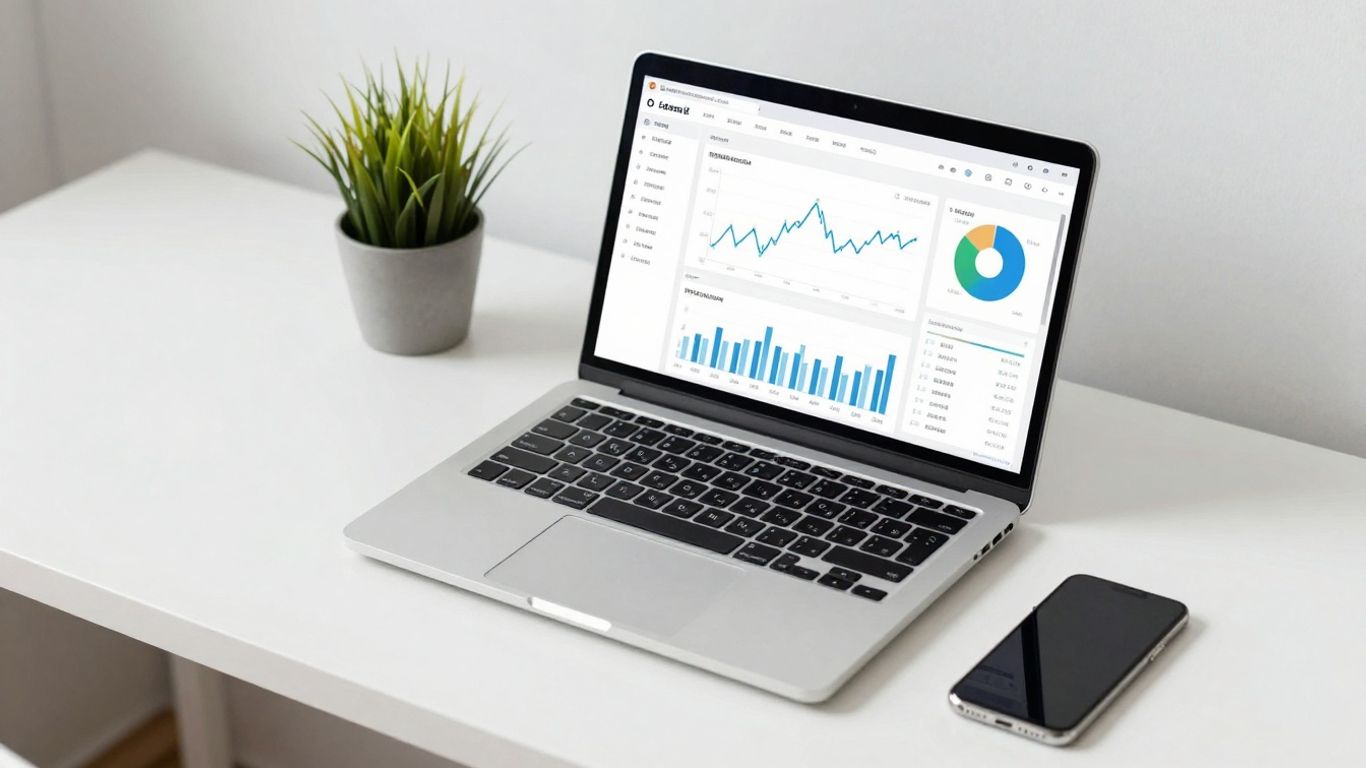
Rocket Money, which used to be called TrueBill, is a pretty solid all-around personal finance app. It helps you with a bunch of things, like saving automatically, keeping track of your spending, checking your credit score, and seeing how much your stuff is worth. It even has tools to help you cancel subscriptions you don’t need anymore and negotiate bills, which could save you some cash.
What makes Rocket Money stand out is how easy it is to use. Seriously, the app and the website are super straightforward. You won’t spend hours trying to figure out where to go or what to click. It connects to your bank accounts using Plaid, which is a secure service most apps use these days, so you can see all your transactions in one place. You can then label them, mark if they’re recurring, or even if they’re tax-deductible.
Here’s a quick look at what it offers:
- Budgeting: Rocket Money automatically sorts your spending into categories like ‘Groceries’ or ‘Utilities’ based on your transactions. It shows you charts and info for each category.
- Savings Goals: You can set up goals and have the app automatically move money into a savings account. It can even make small deposits every few days based on your spending habits, or you can set your own schedule.
- Subscription Management: It’s really good at finding recurring charges you might have forgotten about and helps you cancel them.
- Bill Negotiation: This is a big one. Rocket Money can try to get lower rates on your bills, but they take a cut of the savings, usually between 30% and 60% of what you save in the first year. You get to pick the percentage.
There’s a free version, but the best features are in the Premium version. You get to choose what you pay for Premium, suggesting between $6 and $12 a month. If you pay on the lower end, it’s a really good deal for what you get.
While Rocket Money does let you connect investment accounts, it’s not its strongest feature. If tracking stocks and complex investments is your main goal, you might want to look at other apps that focus more on that. But for everyday budgeting, saving, and managing your bills, it’s a strong contender.
3. You Need A Budget (YNAB)
YNAB, which stands for You Need A Budget, is a tool that really pushes you to think about where every single dollar is going. It’s built around a zero-based budgeting system. This means you take all the money you earn and assign it a specific job. Think of it like this: if you have $100 left after bills, you don’t just let it sit there. You decide if it’s going into your savings for a new couch, paying down a credit card faster, or maybe a fun weekend trip.
This method can feel a bit intense at first, and honestly, it takes some getting used to. The app isn’t exactly free, costing about $15 a month or $109 annually. But, if you stick with it, people say it really changes how you handle your money. They offer a 34-day free trial, which is pretty good for figuring out if it’s worth the cost for you.
Here’s a quick look at what YNAB helps you do:
- Give Every Dollar a Job: This is their main thing. No more wondering where your money went.
- Plan for Future Expenses: Whether it’s a car repair or a holiday gift, you can budget for it ahead of time.
- Track Spending in Real-Time: Connect your bank accounts, and see your spending as it happens.
- Set and Reach Financial Goals: YNAB helps you break down big goals into smaller, manageable steps.
YNAB doesn’t really do investment tracking, so if that’s a big part of your financial picture, you might need another tool for that. But for getting a handle on your day-to-day spending and saving habits, it’s pretty solid.
The philosophy behind YNAB is that you should be in control of your money, not the other way around. It’s about making conscious decisions about your finances rather than reacting to them.
4. Empower Personal Dashboard
Empower Personal Dashboard, which used to be called Personal Capital, is a solid choice if you’re looking to get a handle on your investments without paying a fee. It connects to a whole bunch of financial places, so all your money stuff is in one spot. You can see your net worth, track how your investments are doing, and even plan for retirement. It’s pretty good at showing you your debts too.
This tool is especially helpful for seeing your entire financial picture all at once.
Here’s a quick look at what it does:
- Track Net Worth: See your assets minus your liabilities in one clear view.
- Investment Analysis: Get detailed breakdowns of your portfolio performance.
- Retirement Planning: Use tools to project your retirement savings.
- Budgeting: While not its main focus, you can categorize spending.
It’s great for people who have a lot of different accounts and want to see how it all adds up. The investment tools are pretty advanced, which is a plus if you’re actively managing your money. However, if you’re just starting out and only need basic budgeting, all the features might feel a bit much.
The free version gives you a good look at your finances, but if you want more help, like someone to negotiate your bills for you, you’ll need to pay for a premium plan. It’s a bit of a trade-off depending on what you need most.
5. PocketGuard
PocketGuard is a pretty solid choice if you’re just starting out with managing your money and maybe feel a little overwhelmed. It’s designed to be easy to use, which is a big plus when you’re trying to get a handle on your finances. The app connects to your bank accounts, credit cards, and even your Apple Wallet, pulling in all your transactions so you can see where your money is actually going. **It really shines in showing you how much is
6. Monarch Money
Monarch Money is a pretty slick tool that aims to bring all your financial stuff together in one place. It’s not just about tracking where your money goes, though it does that really well. It helps you actually plan and reach your financial goals. Think of it as a central hub for your entire financial life.
What sets Monarch apart is its unique budgeting approach. Instead of just assigning amounts to categories, it breaks down your spending into three buckets:
- Fixed: These are your predictable bills, like rent or mortgage payments.
- Flexible: These are costs that change, such as groceries or entertainment.
- Non-Monthly: This covers expenses that pop up occasionally, like annual subscriptions or car maintenance.
This three-bucket system really makes you think about your spending differently and prepare for those surprise costs that always seem to pop up.
Monarch also has some neat features for investors. You can link up your brokerage accounts or manually add your holdings, and it will track different investment types, including crypto. It updates in real time when the market is open, which is great if you like to keep an eye on your portfolio without being a full-time trader. It’s a solid option for managing your investments alongside your everyday finances. You can get a good overview of your financial health with Monarch Money.
The app’s design is clean and easy to look at, with colors and fonts that make it pleasant to use. This makes it a good choice whether you’re just starting out with budgeting or you’ve been doing it for years. It feels fast and looks good, which is always a plus.
Monarch also offers goal-setting tools. You can set up savings goals for things like an emergency fund or create goals to pay down debt, like student loans. You can link these goals to specific accounts and track your progress, which can be a real motivator.
7. Credit Karma
Credit Karma started out as a way to get your credit score for free, and honestly, it’s still really good at that. You can check your score daily, which is pretty neat, and they break down what’s actually affecting it. This makes it a solid choice if you’re trying to understand and improve your credit standing. They also give you access to your credit reports, which is more than some other free services do.
Beyond credit scores, Credit Karma has added more general money management features. You can link up your bank accounts and credit cards to see your transactions all in one place. It’s not exactly a full-blown budgeting app, as it doesn’t have specific tools for setting spending limits or creating budgets. However, it does let you see your net worth by linking investment and loan accounts. It’s a decent way to get a snapshot of your overall financial health.
Here’s a quick look at what Credit Karma offers:
- Free Credit Scores and Reports: Get daily updates and detailed breakdowns of factors influencing your score.
- Account Aggregation: Connect your financial accounts to view transactions and balances.
- Net Worth Tracking: See your assets and liabilities in one place.
- Product Recommendations: Offers personalized suggestions for credit cards, loans, and other financial products, which is how they keep the service free.
It’s important to remember that Credit Karma makes money by recommending financial products. While these can sometimes be helpful, always do your own research before signing up for anything. The mobile app is generally considered better than the website for day-to-day use. If you’re looking for a free tool to keep an eye on your credit and get a general overview of your finances, Credit Karma is definitely worth checking out. You can find more details about how it works on their website.
While Credit Karma doesn’t offer dedicated budgeting tools like some other apps, its strength lies in providing free access to credit information and a broad view of your financial accounts. It’s a good starting point for beginners who want to monitor their credit health alongside their basic financial picture.
8. EveryDollar
EveryDollar is the budgeting app from Dave Ramsey, and it’s built around his famous "Baby Steps" plan. If you’re a fan of his approach to getting out of debt and building wealth, this app might feel like home. The core idea is zero-based budgeting, which means you give every single dollar you earn a job. You plan out where your money goes before the month even starts, so there’s nothing left over.
The free version lets you set up your budget, track your spending manually, and use it on different devices. It’s pretty straightforward. If you decide to go for the Premium plan, which costs $18 a month or $80 a year, you get bank account linking for automatic transaction tracking. It also gives you access to group coaching calls and a financial roadmap to see how you’re doing with your net worth and goals.
One thing to note is that even with the Premium plan, you still have to categorize your transactions yourself. The app wants you to really see that money leaving your account, which is part of Ramsey’s philosophy. It’s a hands-on approach.
- Zero-based budgeting focus
- Manual expense tracking encourages awareness
- Free version available for basic budgeting
- Premium plan offers bank linking and coaching
This app is really for people who like a structured plan and want to be very intentional with every dollar. It’s not for someone who wants an app to do all the thinking for them. You have to be willing to put in the time to make it work.
9. CountAbout
CountAbout is a personal finance tool that aims to simplify your money management by focusing on automatic transaction downloads and categorization. Think of it as a digital assistant that helps you keep a close eye on where your money is going without you having to manually input every single purchase.
This app offers a blend of features, including budgeting tools, ways to track your bills, and even some basic investment tracking. It seems like a good fit if you’re looking for something that balances these different aspects of your finances, possibly at a more accessible price point than some of the bigger names out there. However, finding detailed information about its specific features and how user-friendly it is can be a bit tricky compared to more established platforms.
CountAbout’s main draw is its ability to automatically pull in your transaction data and sort it for you.
Here’s a quick look at what it generally offers:
- Automatic Transaction Downloads: Connects to your financial institutions to import transactions automatically.
- Categorization: Sorts your spending into different categories to help you see spending patterns.
- Budgeting Tools: Allows you to set spending limits for various categories.
- Bill Tracking: Helps you keep an eye on upcoming bills and due dates.
- Basic Investment Tracking: Offers some functionality to monitor your investments.
While CountAbout might not have all the bells and whistles of some other apps, its focus on automating the tedious parts of financial tracking can be a real time-saver for beginners. It’s worth exploring if you want a straightforward way to get a handle on your spending and bills.
10. Fudget
Fudget is a pretty straightforward app that helps you keep track of your money. It’s not trying to be a super complex financial planner, which is actually a good thing for beginners. You can quickly add income and expenses, and it gives you a clear overview of where your money is going. It’s designed to be simple and fast, so you don’t get bogged down in a ton of features you don’t need.
Think of it like a digital notebook for your finances. You can create different budgets for different things, like groceries, entertainment, or even a vacation fund. It’s really easy to see how much you’ve spent in each category and how much you have left.
Here’s a quick look at what Fudget offers:
- Easy Income and Expense Tracking: Just tap to add a transaction. It’s that simple.
- Multiple Budgets: Set up separate budgets for different goals or spending areas.
- Clear Overview: See your balances and spending at a glance.
- Cross-Platform Sync: Access your budgets on your phone and tablet.
Fudget really shines when you just need a no-fuss way to monitor your spending. It avoids overwhelming you with advanced reports or investment tracking, focusing instead on the core task of managing your day-to-day cash flow. This makes it a great starting point for anyone new to budgeting.
While it doesn’t have all the bells and whistles of some other apps, like automatic bank syncing or detailed investment analysis, its simplicity is its strength. If you want a tool that helps you see where your money is going without a steep learning curve, Fudget is definitely worth a look.
11. Goodbudget
If you’re someone who likes to see where your money is going, Goodbudget might be a good fit. It uses the old-school envelope system, but digitally. Basically, you set up virtual envelopes for different spending categories like groceries, rent, or fun money, and then you allocate a certain amount of cash to each one for the month.
It’s a really visual way to manage your money, which can be super helpful when you’re just starting out. The free version gives you 10 envelopes to work with, which is enough to get a feel for it. If you need more, the paid version opens up unlimited envelopes and other features for a monthly fee.
Here’s a quick look at how it works:
- Set Up Envelopes: Decide what you want to spend money on and create a virtual envelope for each. Think rent, utilities, food, entertainment, savings, etc.
- Allocate Funds: Assign a specific amount of money to each envelope from your income for the month.
- Track Spending: As you spend money in a category, you record it in the corresponding envelope. Goodbudget helps you see how much is left in each one.
One thing to know is that Goodbudget doesn’t automatically connect to your bank accounts. You have to manually enter every transaction. Some people find this tedious, but others say it actually makes them more aware of their spending habits because they have to actively record each purchase.
This hands-on approach forces you to confront your spending in real-time. It’s not about just looking at a bank statement at the end of the month; it’s about actively managing your money as you go. This can be a real eye-opener for beginners trying to build better financial habits.
12. Digit
Digit is a neat little app that aims to help you save money without you really having to think about it. It connects to your bank account and uses an algorithm to figure out how much spare cash you have. Then, it automatically moves that small amount into a separate savings account. It’s like having a tiny, digital helper who’s always looking out for your savings goals.
How it works is pretty straightforward:
- Link your accounts: You connect Digit to your checking and savings accounts. It reads your spending habits.
- Smart transfers: Digit analyzes your income and spending patterns. It finds small amounts of money it thinks you won’t miss and transfers them to your Digit savings.
- Easy access: Your savings are held in a FDIC-insured account. You can withdraw your money anytime you need it, usually within a business day.
It’s a good option if you find saving money a bit of a chore or if you tend to forget to put money aside. It takes the effort out of it, which can be a big help for beginners who are just getting the hang of managing their finances.
Digit is designed for people who want to save more but struggle to do it consistently. It automates the process, making saving feel less like a task and more like a natural part of your financial life. The app’s intelligence learns your habits over time, aiming to save just the right amount without causing any financial strain.
13. Qapital
Qapital is an app that tries to make saving money feel less like a chore and more like a game. It’s designed to help you build good money habits without you even really thinking about it too much. The whole idea is to automate your savings and investments based on rules you set up, which is pretty neat.
The app lets you set up custom savings rules to automatically move money into your savings or investment accounts. For example, you could tell Qapital to round up your purchases to the nearest dollar and save the change, or to transfer a set amount every time you get paid. They also have a "set and forget" feature where you can schedule automatic transfers on a recurring basis.
Here are some of the ways Qapital helps you save:
- Round-Ups: Automatically save the spare change from your everyday purchases.
- Recurring Transfers: Set up automatic transfers on a schedule that works for you.
- Custom Rules: Create unique triggers, like saving money every time you visit a certain place or when the weather is nice.
- Goal Setting: Define specific savings goals and track your progress towards them.
Qapital also offers basic investment options, allowing you to put your saved money to work. It’s a straightforward approach for beginners who want to start saving and investing without getting bogged down in complex financial details. If you’re looking for a simple way to automate your savings, Qapital is definitely worth checking out.
Qapital focuses on making saving and investing accessible through automated rules and a user-friendly interface. It’s a good option for those who want to build savings habits with minimal effort.
While Qapital is great for building savings, it’s not really meant for in-depth budgeting or managing all your bills. It’s more about putting money aside consistently. For a more complete financial picture, you might need to pair it with another tool, but for pure savings automation, it does a solid job. You can explore their savings features to see if the automated approach fits your style.
14. Magnifi

Magnifi is a newer player in the personal finance space, and it’s trying to do things a bit differently. Instead of just tracking your spending or helping you budget, Magnifi focuses on helping you find better deals on your existing bills and subscriptions. Think of it as a financial assistant that actively looks for ways to save you money without you having to do all the legwork.
It’s particularly good if you feel like you’re overpaying for things you already use.
Here’s a quick look at what Magnifi offers:
- Bill Negotiation: Magnifi connects to your accounts and identifies recurring bills like cable, internet, and phone. It then negotiates with your providers to get you a lower rate. If they can’t get you a discount, you don’t pay.
- Subscription Management: It helps you spot and cancel unwanted subscriptions, which can really add up over time.
- Spending Analysis: While not its main focus, it does give you a look at where your money is going, so you can see what bills are the biggest.
- Savings Tracking: You can see the actual dollar amount you’ve saved thanks to Magnifi’s efforts.
It’s a pretty straightforward approach. You link your accounts, and Magnifi goes to work finding savings. It’s not a full budgeting app like YNAB or Rocket Money, but it fills a specific niche really well. If you’re tired of paying full price for services you’ve had for years, Magnifi might be worth a look.
The idea behind Magnifi is simple: why pay more than you have to? It takes the hassle out of haggling with service providers, which, let’s be honest, most of us avoid. It’s like having a personal shopper for your bills.
15. Betterment
When you’re just starting out with managing your money, the idea of investing can seem pretty intimidating. That’s where Betterment comes in. It’s a robo-advisor, which basically means it uses computer algorithms to manage your investments for you. Think of it as a digital financial advisor that’s available 24/7.
Betterment is a great option for beginners because it automates a lot of the complex parts of investing. You tell it your goals, like saving for retirement or a down payment, and it builds and manages a diversified portfolio for you. They also focus on tax-smart strategies, which can help you keep more of your returns over time. It’s a solid way to get your money working for you without needing to become an expert overnight. You can check out their goal-oriented tools to see how they can help.
Here’s a quick look at what Betterment offers:
- Automated Investing: They handle the buying and selling of investments based on your risk tolerance and goals.
- Goal Setting: Easily set up different savings goals and track your progress.
- Tax-Loss Harvesting: A feature that can help reduce your tax bill by selling investments that have lost value.
- Low Fees: Generally, robo-advisors like Betterment have lower fees than traditional human advisors.
Getting started with investing doesn’t have to be complicated. Tools like Betterment simplify the process, making it accessible even if you’ve never invested before. They take the guesswork out of building a portfolio and managing it for the long haul.
16. Wealthfront
Wealthfront is a robo-advisor that makes investing pretty straightforward, especially if you’re just starting out. They handle a lot of the heavy lifting for you, like building and managing a diversified portfolio based on your goals and risk tolerance. It’s a good option if you want a hands-off approach to growing your money.
One of the cool things they offer is automated tax-loss harvesting, which can help reduce your tax bill over time. This is a more advanced strategy, but Wealthfront makes it accessible even for beginners. They also provide digital financial planning tools, which can be super helpful for mapping out your future.
- Automated Investing: They build and manage a portfolio for you.
- Tax-Loss Harvesting: Aims to reduce your tax burden.
- Financial Planning Tools: Helps you plan for long-term goals.
- Low Fees: Generally competitive pricing for robo-advisors.
Wealthfront charges a 0.25% fee for its digital portfolio management services. This is pretty standard in the robo-advisor space, making it an affordable way to get started with investing. They also have a minimum investment requirement, so it’s worth checking their current threshold before you sign up.
Wealthfront is a solid choice for beginners who want a simple, automated way to invest and plan for their financial future. It takes a lot of the guesswork out of the process, letting you focus on other things while your money works for you. It’s a good way to get a taste of automated investing without needing a huge sum to start. You can check out their investment services to see if it fits your needs.
17. Cleo
Cleo is a bit different from your typical budgeting app. It uses a chatbot interface, which can be kind of fun, honestly. It’s designed to help you manage your money with a bit of personality. Instead of just showing you numbers, Cleo talks to you, giving you updates and nudges about your spending. It links to your bank accounts, so it can see what’s going on.
Here’s what Cleo can do:
- Track your spending: It categorizes your transactions so you know where your money is going.
- Set budgets: You can tell Cleo how much you want to spend in different areas.
- Save money: Cleo has a feature that can automatically move small amounts of money into savings.
- Get cash advances: If you’re in a pinch, Cleo might be able to give you a small advance on your paycheck.
It’s not for everyone, though. Some people might find the chatbot style a little too casual, or maybe even annoying. And the free version doesn’t do as much as the paid one, which is pretty standard these days.
Cleo tries to make managing money less of a chore by adding a bit of humor and a conversational style. It’s a good option if you want something that feels less like a spreadsheet and more like a chat with a friend who’s good with money. Just be aware that some of the more advanced features are behind a paywall.
Overall, Cleo is a neat tool if you’re looking for a more engaging way to keep tabs on your finances. It’s got a decent rating from users, which is always a good sign.
18. Quicken Simplifi
Quicken Simplifi is like the younger, more laid-back sibling of the classic Quicken software. It’s designed for people who want a good handle on their money without getting bogged down in super-detailed spreadsheets. The whole thing is built around a clean, web-based dashboard that shows you the most important stuff about your finances right away.
It pulls together all your accounts – checking, savings, credit cards, even investments – into one spot. You get a clear picture of where your money is going, with breakdowns of your top spending categories. It also has this neat feature that looks at your recurring bills and predicts what your bank balance will be in about 30 days. It’s pretty handy for avoiding any surprises.
Here’s what you can expect:
- All-in-one dashboard: See your bank accounts, spending habits, and upcoming bills at a glance.
- Spending tracking: Automatically categorizes your purchases and lets you set custom categories.
- Watchlists: Keep an eye on specific spending areas you want to manage.
- Projected balances: Get a heads-up on your future account balances.
It’s not exactly free, you have to pay for it, and sometimes all the options can feel like a lot when you first start using it. But if you’re looking for a straightforward way to see and manage your money without a huge learning curve, Simplifi is a solid choice. It really tries to do the heavy lifting for you, so you can just get a good overview of your financial life.
19. PocketSmith
PocketSmith is a really deep-dive personal finance tool. It’s been around for a while, and it shows in the sheer amount of detail you can get out of it. If you’re someone who likes to tinker with numbers and really understand where every dollar is going, and where it might go in the future, this could be your jam. It’s especially good for long-term planning and forecasting.
What sets PocketSmith apart is its incredible flexibility. You can set up budgets for any time frame – daily, weekly, monthly, you name it. Plus, it lets you run unlimited ‘what-if’ scenarios. Want to see how buying that new car might affect your finances in five years? PocketSmith can show you. It pulls in your transaction data securely using services like Plaid and Yodlee, so you don’t have to manually enter everything.
Here’s a quick look at what you get:
- Advanced Budgeting: Create custom budgets for any period.
- Long-Term Forecasting: Project your finances up to 30 years into the future.
- Scenario Planning: Test out different financial decisions before you make them.
- Net Worth Tracking: Keep an eye on your overall financial health.
- Customizable Reports: Dive into detailed charts for cash flow, spending, and trends.
It’s not the cheapest option out there, and honestly, it takes some time to get the hang of all its features. The interface could use a bit of a refresh to make things more obvious, but if you’re willing to put in the effort, the insights you gain are pretty amazing. It’s a solid choice for people who are serious about understanding their financial future and are motivated to build detailed plans.
PocketSmith is best suited for those who want granular control over their financial data and are prepared to invest time in learning its robust features. It’s not a ‘set it and forget it’ kind of app, but the payoff in financial clarity can be substantial for dedicated users.
20. NerdWallet
NerdWallet started out as a place to get free, really good information about money. Think articles, podcasts, and even online courses that break down complex financial topics. They still do that really well, and it’s a big reason why they’re on this list. It’s like having a personal finance library at your fingertips.
They’ve also added tools to help you actually do something with all that knowledge. You can connect your bank accounts to see where your money is going and track your net worth. It’s not a full-blown budgeting app anymore, but it gives you a good overview of your cash flow. They also have ways to help you start investing, even if you don’t have much cash to begin with, through partnerships.
Here’s a quick look at what you get:
- Financial Education: Tons of articles, videos, and courses covering almost any money topic you can think of.
- Net Worth Tracking: See how your assets and debts stack up over time.
- Credit Score Monitoring: Keep an eye on your credit health.
- Investment Options: Simple ways to start investing or saving, like a high-yield savings account.
While NerdWallet doesn’t offer detailed budgeting features like some other apps, its strength lies in its educational content and its ability to give you a clear picture of your overall financial health. It’s a great starting point for understanding your money better and making informed decisions.
If you’re looking to build up some savings, even starting small with amounts like $20 or $50 can make a difference over time. NerdWallet’s resources can help you figure out how to do that. They also have a mobile app that’s pretty easy to use, which is a plus.
Your Money, Your Future
So, there you have it. Getting a handle on your money doesn’t have to be a huge chore anymore. With all the tools out there now, from apps that track every penny to ones that help you negotiate bills, it’s easier than ever to get started. Don’t feel like you need to use everything at once. Pick one or two that seem like a good fit for you and give them a try. Small steps now can make a big difference down the road. You’ve got this.
Frequently Asked Questions
What exactly is a personal finance tool?
Think of personal finance tools as your money’s personal assistant. They help you keep track of where your money comes from (income) and where it goes (expenses). Many also help you create a spending plan (budget) and keep an eye on your savings and investments, all in one place.
Do I really need a special app to manage my money?
Not necessarily, but these tools make it way easier! Instead of juggling notebooks or complicated spreadsheets, these apps connect to your bank accounts and automatically sort your spending. This saves you tons of time and helps you see your whole financial picture clearly.
Are these apps safe to use with my bank information?
Yes, the best ones use strong security, like the kind banks use, to keep your information safe. They usually use encryption, which is like a secret code, to protect your data when it’s sent and stored. Always check the security features before signing up.
How can these tools help me save more money?
Many tools let you set savings goals, like for a new game console or a future trip. They can show you where you’re spending too much, like on daily coffee runs, and suggest ways to cut back. Some even move small amounts of money into savings automatically so you barely notice!
What’s the difference between a budgeting app and an investing app?
Budgeting apps focus on your day-to-day spending and saving – making sure you don’t spend more than you earn. Investing apps help you grow your money over time by buying stocks or other assets. Some tools do both, but they have different main jobs.
Which tool is best for someone who’s totally new to managing money?
For beginners, look for apps that are super simple to use and have clear instructions. Tools like Rocket Money or PocketGuard are great because they automatically track spending and show you how much ‘fun money’ you have left after bills. They make managing money feel less scary.